
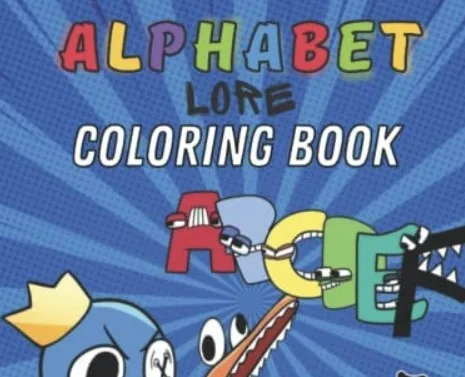
Digital coloring works best as a prompt for observation and conversation, not as a scoreless substitute for every other alphabet activity. The Alphabet Lore coloring game lets a player select colors and fill bounded regions. That interaction can support a calm shared session, but it does not by itself show that a player knows a letter’s name, sound, or use in a word.
Set one purpose before opening the game
Choose a small goal that can be observed: compare straight and curved parts, practice using the pointer, name two colors, or tell a short story about the finished picture. Avoid combining all goals in one session. A clear purpose helps an adult know when the activity is complete and reduces the temptation to treat time on screen as evidence of learning.
A worked fifteen-minute session
For the first two minutes, inspect the picture together and identify the letter without choosing a color. Ask which parts belong to the character and which are background. During the next five minutes, let the player choose and apply colors. Use neutral prompts such as “What changed when you filled that shape?” instead of directing every choice.
Pause halfway and trace the letter’s outline in the air or on paper. Return for one final section, then use the finished screen as a storytelling prompt: where is the character going, what object might begin with that letter, and which detail is most important? The session has now connected visual play with language without claiming that the coloring mechanic delivered a formal lesson.
Mouse and touch adjustments
On a tablet, a finger is direct but hides the point of contact. Encourage tapping near the center of a region. On desktop, a mouse gives more precision; lower pointer speed only if the child consistently overshoots in other applications too. A stylus can help, but the preserved game fills regions rather than recording freehand drawing, so expensive equipment offers little advantage.
Use reset as a creative tool
Resetting is not a failure. Try one version with realistic colors and another with a deliberately limited palette. Compare the two finished images and ask which areas became easier to distinguish. This creates a concrete visual comparison. If the game has no undo, decide whether to continue with the unexpected color or reset; both choices can be part of the activity.
Keep claims proportionate
Color choice can reveal a preference in that moment, not a personality diagnosis. Filling a letter neatly can show successful pointer control in that interface, not general fine-motor development. Naming an object can be useful practice, but one correct response is not a reading assessment. The site therefore describes the game as creative play and avoids promises about school readiness.
Privacy and external content
Open the page before sharing the device, confirm that the game is the expected local package, and keep external links outside the play area from becoming part of the session. The site does not ask a player to upload finished art, provide a name, or create an account. Take a screenshot only if the device owner is comfortable storing it; do not include a child’s face, location, school information, or other personal details.
Save or share without exposing a child
If the device owner wants to keep the picture, use an operating-system screenshot only after checking what else appears on screen. Crop out notification banners, profile names, open tabs, bookmarks, and location clues before sharing. The site does not provide a public gallery, comment area, or upload form, and that is intentional: a finished coloring page does not need a child’s identity attached to it.
A printed copy can become an off-screen extension. Add an object beginning with the letter or compare the digital palette with crayons. Confirm that printing is for personal activity and does not grant permission to sell or redistribute a third-party character image. For a reusable classroom resource, choose material whose licence expressly permits that use.
When another activity is a better fit
Choose Letter Shapes when the goal is comparing silhouettes, Alphabet Memory when the goal is remembering positions, or a physical drawing activity when freehand marks matter. Digital coloring is the right choice when the visitor wants a calm, low-pressure character activity with immediate color feedback.
Editorial judgment: the most valuable addition is the short off-screen transfer—tracing, finding an object, or telling a story—not a longer coloring session. Stop while the player is still engaged and return another day rather than using completion of every region as a requirement.
Method and corrections
This guide combines direct inspection of the preserved site with clearly marked editorial judgment. Availability and browser behavior can change. Report a factual or technical issue through the corrections process.
